I don't have much to say. I'm exhausted. What an amazing night!




Tech, music, sports, and other stuff.
I don't have much to say. I'm exhausted. What an amazing night!
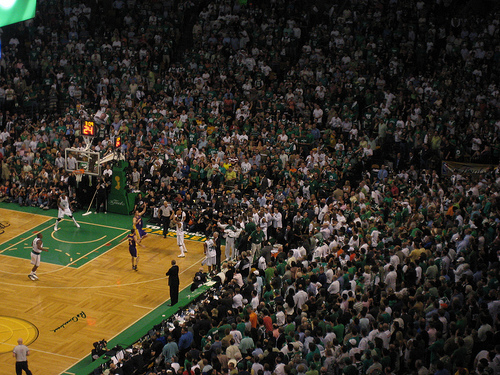
The Celtics just won a ridiculous game 4 in the NBA Finals.
I have tickets to game 6.
If there is one, this is what I'll be wearing:
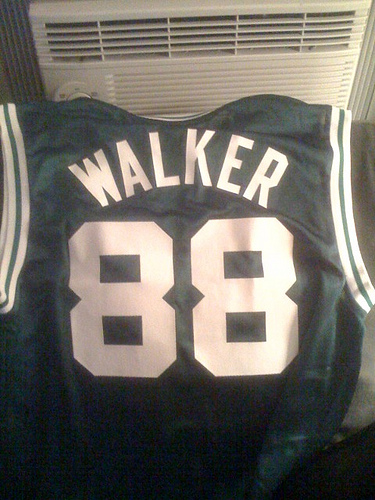
Oh yes. Just like this guy:


Whoops! Looks like the TechMeme snippet finder grabbed the advertising block rather than the more important headline/content block from this Washington Post article about Steve Ballmer and Yahoo!. Stupid computers!

If you've been following along at home, you'll have noticed I work for a web hosting company. We're pretty big, with hundreds of thousands of customers, and we've got some interesting operation efficiencies/differences from traditional hosts that give us some fun advantages. Those same advantages come at the cost of having to do some interesting thinking about scalability and performance. This is where the stuff currently going on at Twitter starts to sound *really* familiar.
But, let's start with the basics ...
Typical Web Host
A typical web host has a "pizza box" architecture. They pile a bunch of servers in a rack in a data center. Each server is running some MySQL, some Apache (or ISS), some email app (Exim or Qmail), and some FTP. Each server is usually running another instance of Apache to run the customer control panel. The box usually runs off it's own local storage. Thus, each box is an individual entity running it's own versions of applications, with it's own individual issues. Depending on which box you're on, you might have MySQL slowness, or Apache slowness, or disk slowness, all depending on what your neighbors are doing. Rolling out upgrades becomes a bit more arduous as you've got to upgrade each box. This is decidedly old-school, but very common and works fairly well. This architecture only starts to be a problem as you grow; each time you add X customers (where X is the number each box can support), you have to add a new box. Each time you add a new box, you need more power, space, backup storage, etc. That gets hard to scale.
So, then there was the idea of not using local box storage, but instead using networked storage. Now you can just add more disks without having to add entirely new boxes, and backups become less of an issue. This means you can grow a little bit more without having to add more boxes.
Atypical Web Host
An atypical web host (like us and some of our competitors) might do things a bit different. For instance, rather than having a single LAMP (Linux-Apache-MySQL-PHP/Perl/Python/(P)Ruby) stack per set of customers (on a box), you build a pool of boxes that can all serve up services for a customer. This means that:
In this model, more like a typical web service than a web host, you've got pools of servers that perform certain tasks, and customer data is kind of abstracted away to all just live on big storage arrays. Things scale much easier and more cost effectively.
But ....
What does this have to do with Twitter?
See, when you're running centralized services, you end up with a lot of data sitting in your database, and it's getting accessed by Y thousands (tens of, hundreds of) users. The "pizza box" model doesn't have this issue since the data is distributed across thousands of servers. But that's not feasible in something like Twitter. You don't only want to be able to see tweets from people who are on the same server as you. You want to see tweets from everybody. That's the power of Twitter.
Having lots of data in a single database instance solves that problem. But it introduces a whole new set of issues: database locking, slave synchronization, disk performance.
Let's take an educated guess at what Twitter's database schema might be like:
Table: Users
UserID     int(14) autoincrement
Username   varchar(50)

Table: Tweets
TweetID	   int(14) autoincrement
UserID     int(14)
Tweet      varchar(140)
DateStamp  datetime

Table: Followers
UserID     int(14)
FollowerID int(14)

Table: UserTweets
UserID     int(14)
TweetID    int(14)
In a nutshell, we've got a table that keeps track of our users. We've got a table of tweets, which maps back to give us a user based off of the UserID. Right there, you get a pretty easy query to get all of the tweets for a user:
SELECT t.Tweet FROM Tweets t INNER JOIN Users u USING (UserID);
When Twitter was just a baby, that query's pretty darn fast. It'll give you all of the Tweets written by any user in particular. Reads will be fast, since UserID will be indexed and unique. Writes will be fast, since we're not writing a ton of data and updating the indexes should be pretty quick (since Twitter is still just a baby).
Now, we add the functionality of "following" another Twitter user (good thing we thought ahead and added that to our schema!) Now a user can follow another user, which just simply sticks a row in the table with the id of the user and the id of who they are following.
Keeping track of all the tweets flowing into the user from folks they're following is easy, since we planned ahead. We made a table that lets us map a bunch of tweets to a user. Every time we add a tweet, we stick a row in that says "this user has this tweet"--it doesn't matter if the tweet was by that user, or someone they were following, they all go in that mapping table.
Again, when Twitter was a baby, this was all pretty easy and quick:
SELECT t.Tweet FROM Tweets t INNER JOIN UserTweets u USING (TweetID) where UserID = ?;
We're going to get back all the tweets assigned to that user, whether written by the user or someone they are following. Simple and fast, since again, we're hitting some pretty easily indexed and unique fields.
Of course, I've made one assumption here. I'm assuming that, when a user starts following someone, that their tweets start getting associated to my user (the UserTweets table). I'm guessing this is the case since when you start following someone all of their tweets don't magically show up in your history (conversely, when you stop following someone, they don't miraculously disappear -- I don't think so, at least). Either Twitter sticks stuff in the mapping table (my guess), or they go look up the date you started following each user, and they build that index on the fly.
In other words, the alternative version is that Twitter, when you view a page that displays your tweets along with those of folks you follow, would have to go lookup the date when you started following someone, then find all of their tweets after that date, bring them together, and put them in order.
Mapping table seems a whole lot more likely. And much faster. Which is kind of how Twitter got big.
Anyway, since we've got this nice mapping table, we need to know how to fill it up. If I'm following Robert Scoble (like the rest of Western Civilization), every time he writes something, it needs to make it to UserTweets associated with me.
Again, this is pretty easy, if you've got a handy loop. First, get all the followers:
SELECT FollowerID from Followers where UserID = SCOBLES_ID;
Then, loop through all those folks and post it:
INSERT INTO UserTweets (UserID, TweetID) values (FOLLOWER_ID, SCOBLES_TWEET_ID);
That loop will run as many times as it takes to update Scoble's followers. None of these queries are complex. They're all easily indexible. They should all be pretty fast. When Twitter is still in baby-state.
But now Twitter is growing. It's a toddler. It's got many many users and some of them have loads of followers. Things are starting to slow down. Twitter's parents look at it and say "Well, one obvious reason you're starting to slow down is that the database is starting to lock. See, now that we've got some data, lookups are taking a little bit longer, and inserts are taking a little bit longer, and when they happen at the same time, we don't want data to get out of sync, so the database locks up. When it locks up rapidly enough and often enough, we run out of threads and our database likes to go down. We're going to teach you to read and write at the same time."
And that's what they do.
We currently use one database for writes with multiple slaves for read queries. As many know, replication of MySQL is no easy task, so we've brought in MySQL experts to help us with that immediately. (blog.twitter.com)
Now we've got a master database, where all of our writes (inserts) go, and a couple of replicas where all of our reads (selects) go. Perfect. Things are fast again. Users are happy. Twitter is moving along.
Twitter grows into the tween stage. And it's not pretty. Databases are constantly crashing. Things are slow. What the hell? Didn't we just fix this?
Well, no. We just hid the problem. Replication isn't a pretty solution. MySQL replication is flawed. It's not instantaneous. It can fall behind. Further, it breaks. A lot. And when it breaks, we lose half of our read capacity, which then overloads the other server, and everything goes down. Resynchronizing can be painful. Adding more replicas helps, to a point (since each replica adds a little bit of overhead to the master).
Big users (those with lots of followers) cause more load, since now we've got to do a big lookup to get thousands of rows (followers) and then do thousands of inserts every time one of those users posts. That's not good for our database.
NOTE: The Twitter folks claim they don't copy the tweet around for each follower. I'm sure they don't. But they don't say anything about copying the ID around (which, as I've stated, makes a good amount of sense if you were architecting Twitter 18 months ago).
13:03: I ask about how Twitter’s engine works internally and I ask if Tweets are copied for each Twitter message. For instance, do my Tweets get copied 23,000 times? EV answers that the service does NOT do that. (scobleizer.com
Also, it's what Dare Obasanjo posits, building on what Israel says on the Assetbar blog, and they're both way smarter than me.
And you can't really add a second master database. So writes are going to be as fast as our server can handle them.
This is where we are today (or at least recently). There's enough users on Twitter that updates are probably starting to slow since the tables and indexes are so large that there's just not much MySQL can do. Reads are slow because replication is fragile.
What do we do?
Without completely re-architecting things, what can we do? There's a couple of things, right off of my novice brain:
Cache, Cache, Cache
The less we have to go to the database, the better things perform, and the better they scale. There are lots of things we can cache, things which don't update very often. For instance, the list of followers. If we stored the follower list in memory for each user (as it was loaded), we'd cut down on a query that gets run every time a user loads Twitter.
That's *a lot* of queries.
It sounds like the folks at Twitter are already heading down this path.
A: We've mitigated much of this issue by using memcached, as many sites do, to minimize our reliance on a database. (blog.twitter.com)
Make the database smaller
This isn't something it sounds like Twitter wants to try. Basically, this is sharding. You take all the users with a UserID < 100000 and put them in one database, all the users with a UserID > 100000 and < 200000 and put them in a second database, and so on. Then you have a master lookup that lets you know where to find the data you're looking for (which you can cache!).
This makes your selects and inserts fast again, since the tables and indexes are smaller. But now you've got to manage the multiple shards, adjust them when they get too big, and deal with the added layer of abstraction.
It'd help, but it's a big task.
If you've been reading my blog, you might be asking yourself:
Why Does This Sound Familiar?
Why does this sound familiar? Because our unknownish web host ran into similar issues. See my post Thoughts on MySQL Scalability From a Certified MySQL Moron from February.
All of the problems Twitter is facing seem to be directly related to building the service in a logical fashion, but not forseeing the problems that massive growth would have on the system (a single tweet spawning tens of thousands of database updates). Quite frankly, it's completely reasonable. Frustrating, but reasonable. As Michael Kowalchik (founder of Grazr) states:
As a startup there's only so much energy you have, and you must apportion your resources carefully. The truth is, we like to talk about scaling, but without steady growth and something people find compelling, all the scaling in the world won't help you. (mathewingram.com
I'm curious about Twitter's solutions both as a user and as an engineery web dork at a company hitting the same problems. We're starting to use memcached, looking at using smarter non-table locking databases, and thinking about utilizing the file system more than a database.
Twitter has some technological mountains to climb to be able to scale to support the rate at which they are growing. I think that, sooner or later, they'll have to bite the bullet and use database shards. They're also likely going to have to build out memcached clusters large enough to allow them to cache nearly every thing about a user. That's loads of data (gigs and gigs and gigs), but machines and memory are cheap for a company like Twitter, and the payoff will be worth it. I have no idea if Twitter's growth is slowing during these performance issues, but throwing some funds behind a massive memcached cluster would be well spent now, and would surely be useful even after any sort of re-architecture.
Today we had a visit from a good friend. Our friendly neighborhood office chipmunk (or squirrel). I'm pretty sure this is the guy who used to poop on my desk, before I got my handy-dandy office. He's probably usually a night time guy, but this morning, he was out and about digging our cubes.
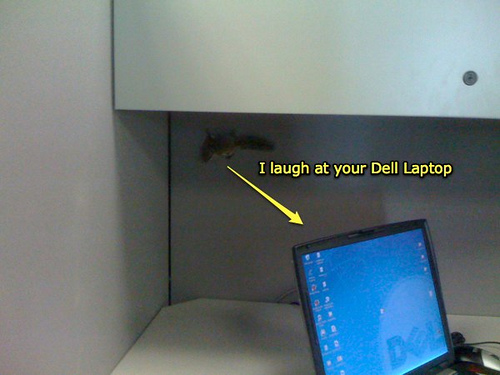
We tried to catch him. He was fast.

A couple of hours later, he showed up in a neighboring office, hanging out in a hat that was on the floor.
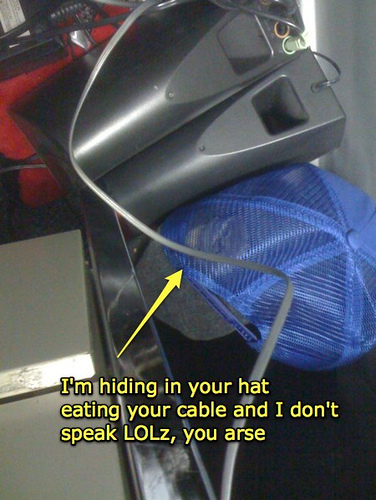
That lead to a mad chase into another office, where we cornered him, successfully coaxed him into a trash can, and freed him outdoors into the wild.
He was promptly eaten by a lion
He didn't really get eaten. Later word was that he tried to get back into the building to hang out with us.
Just a quickie while I gather thoughts for a longer post


Saw this today browsing the web. I'm pretty sure that's Little Pete.Stock images from like 15 years ago are awesome.
Pete & Pete is still awesome, by the way. You should know it rules.
I need to rid myself of some extraneous electronics. I'm going to throw them up on ebay, I think, but if someone comes across this and wants to buy something, let me know (my email is over there --->).
I'm going to sell:
If you want something, drop me a note here, on email, or on Twitter.
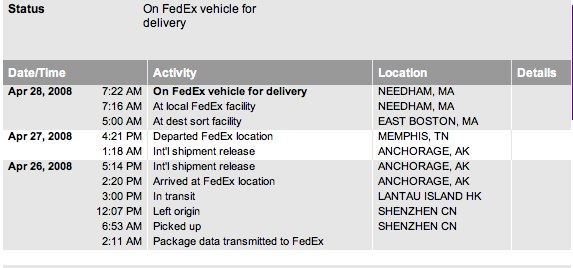
My iPhone is coming! My iPhone is coming!
I think I love this commercial more and more