Website Truck Day

(This will get a little navel gazy, so if you don’t care about how this site is hosted, feel free to skip it.)

After a little more than six years hosting this site at DreamHost, I packed up and moved it, whole hog, to a VPS instance at Linode. It was less work than I expected (all in, maybe 8 hours), but probably more work than the average joe managing a blog would want to take on. I’ll explain a bit more later about exactly what went into the move, but first …

(Truck Day is the day that a baseball team loads all their gear into trucks and heads down to Florida/Arizona for Spring Training.)

Why move?

The decision to move off of shared hosting onto my own VPS is one that I’d been thinking about for a while. Honestly, I didn’t need to move for any traffic reasons. I get a handful of hits, depending on what I write about, and don’t go out of my way to pimp anything. I was a bit frustrated with the performance of my site on shared hosting (the fact that I don’t get a lot of traffic is sort of irrelevant when you are hosted on shared hosting – you’re all, basically, sharing the same set of resources).

Mostly, though, I’m a dork and I do web stuff for a living, so I wanted a place to mess around. I wanted a box I could login to and do development work, or write occasional scripts, or host code repositories for my own work. That’s something that just isn’t terribly easy/advisable to do on a shared account. DreamHost, actually, is a shared host where that sort of thing is possible, but it’s just a little icky to do that sort of stuff on a shared box (where, if security isn’t perfect, you’re potentially exposing your stuff to other folks, and where performance is never going to be as good as on your own slice of a server).

On top of all that, DreamHost has had a bad run lately. I don’t blame them (well, I do, but I don’t hold it against them), but they’ve had outages and some security issues, and then general problems that seem to come with growth and adding complexity to a company that used to be very narrowly focused on just hosting. Not that I know anything about that. I just didn’t feel like hanging around and letting them figure it out, on my dime. It happens. Sometimes you just grow apart. Anyway …

Linode is one of the premier VPS providers (VPS being where you are renting a dedicated slice of a server, just for yourself, rather than an entire server). They’ve got good pricing, good documentation, and a good reputation.

So I bit the bullet and bought a VPS to start the process of moving.

Moving Day

Moving Day was never intended to be Moving Day. I was going to spend a week or two, getting things ready, copying over data, testing, making sure everything was happy, and then cut over one service at a time (one site, a second site, mail).

Once I had provisioned my new VPS, I started by just getting things updated with the latest patches and all (much easier than you might guess, given all of the fun package manages that exist these days). Then, using those same package managers, I set about installing a web server, various scripting languages, mysql; all of the bits that you need to run a website can be reasonably easily installed with a few commands.

(This isn’t news to me, I’m just sharing.)

The other nice bit of doing things the system way, rather than rolling your own, is that you get to take advantage of system level patches and security updates. If you’re not doing anything crazy, where you need a lot of custom modules or code compiled in, using system packages is a very, very nice way to keep yourself up-to-date.

Throwing a firewall up, and doing a few other security things, and I kinda felt like I was done my setup. In about 3 or 4 hours, I was seeing a test page, had a database, and (hopefully) had things secured reasonably well.

A Quick Note About Security

One of the great things about managing your own site on your own server, virtual or otherwise, is that you are in complete control. Want better performance? Throw up a reverse proxy or caching server. Want some cool new tool that your host won’t install? Install it yourself.

It’s a great amount of freedom. It’s enough freedom, that let me rewrite that previous sentence

One of the worst things about manage your own site on your own server, virtual or otherwise, is that you are in complete control. Forget to setup a firewall? Enjoy having all of your data deleted and your site used for malware. Leave your mail server open for relaying mail? Spend a few weeks wondering why your mail to everyone is flagged as spam.

It cuts both ways. I do this stuff for a living and even I’m paranoid I’ve done stupid stuff. Google around, ask friends, turn off things you don’t need running.

Never login to your server with a password. Always setup SSH keys and use those. Just trust me.

Back to Moving

With the server now, in theory, all configured, I figured “Well, might as well move over my static HTML site.” I keep a backup of my stuff locally (you keep a backup of your site, locally, right?), so I just SCP’d everything up to the server, and there it was.

(Well, when I say “there it was” what I really mean is “There it was, in raw HTML source, connecting through HTTP Client on my Mac, since the way some servers work—including the one I setup—is that your need to connect using both the IP and a “host”, which is hard to do through a browser until you’ve cut over DNS, and you don’t want to cut over DNS until your site is ready, and you can’t tell if your site is ready until you’ve seen it … confusing enough? Google around for adding things to your hosts file, which may be easiest for most folks.)

Since my static site worked, I went to DreamHost to cut over the DNS. I will keep my vitriol to a minimum here. For all of the good things DreamHost does, their control panel/management area blows. It really, truly does.

To change DNS, I had to turn off hosting for my website. Which means my website would go down for as long as it took DNS to show up changed around the world. That could be anywhere from a few minutes to a few hours. Awesome. Appreciate that, DreamHost.

I bit the bullet, broke my site momentarily, and waited for DNS to change. After about 30 minutes, I could see that my site was up and running on my VPS. Success!

Once that was done, I moved my blog. It’s Wordpress, it’s got some plugins, and I figured I’d need to do some reconfiguring (just to make things work perfectly in the new environment). Again, I uploaded my site (local backups, friends), clearing out the statically cached files from my caching plugin of choice. There’s the fun extra step of running a database backup (to copy it to my new site), and a couple of config changes.

A couple of quick things of note:

  • Remember to download copies of anything you upload via your blog client, which you may not have backed up locally
  • Take this opportunity to clean up old plugins, old junk data, bad database tables, etc.

Again, I do the HTTP Client check, go to DreamHost, break my site temporarily, change DNS, wait for the changeover, and do the Snoopy dance of success.

All that was left was mail.

Mail is confusing as hell, there’s very little good documentation for it, and if you get it wrong, you can end up in very bad shape. My advice, outsource it to Google or any shared web host, where you can probably do it for free.

I ended up forwarding my mail (which I think I’ve gotten secured down to where it works, but won’t say for sure that I have a clue what I’m doing). This was another amazing process with DreamHost’s shit-tastic DNS tools that required an email to support, where they (without asking me) disabled my mail to point it to my new site, leaving my mail broken for 4 hours.

Not my favorite experience (especially since I was dealing with it at a basketball game), but once it was done, I was officially on my VPS.

The End?

In the end, it’s been worth it so far. It’s costing me a bit more each month (about $10/mo more, plus another $10/year for my domain renewal, that used to be free with my hosting), but my site is performing considerably faster—a few seconds per page load, on average, I’ve setup some handy things that let me manage my life a bit easier, and I’ve got a server I can pop into when I need to do some work.

It’s great for me.

I wouldn’t recommend it for most people. In fact, I wouldn’t recommend it to nearly anyone. For the average person, I’d recommend you stick with a shared web host (email me for some recommendations, if you need one). Let someone else deal with all this server crap. You focus on your site.

For me, the server crap is what I kinda enjoy.

The Live Music, as the Kids Say

Over the past few months, my concert going (attending "the live music") has ticked up. And it'll pick up even more over the next couple of months with shows by Kaiser Chiefs, Fanfarlo, Delta Spirit, and We Were Promised Jetpacks (and I think a couple of other shows I can remember).

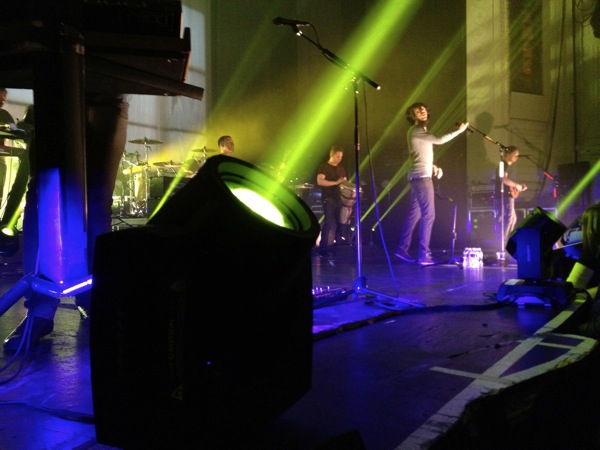
Since I don't have much else to say, here's some video from some recent shows.

The Sheila Divine

The Parkington Sisters (covering Radiohead!)

Fanfarlo

We Were Promised Jetpacks

The Self-Fulfilling Prophecy of Bad Release Processes

If you need to wait any non-trivial amount of time between completing something and seeing how well it’s
performing, you’re not going to be working on that project by the time you get your answer. When you do get your
answer, you’re not only going to have to refresh your memory on what you had been working on, but you’re going
to have to do the same on whatever else you had started working on.[1]

I will admit, I’m currently a bit frustrated with our team’s development and release process. In the name of stability, we have given up speed, agility, and, honestly, stability.

Ironic, eh?

When you’re working on web stuff, having a long cycle between when something leaves your keyboard and when it is live on production servers being poked at by real, live customers is a bad idea for a whole bunch of reasons.

There’s always something different about production than your staging environment. It doesn’t matter how well prepare you, it just happens. Different security, some small schema change, a firewall rule. Something. The longer you wait between the last time you worked on your code and when it is in front of customers, the more likely something else will change, too. And the less likely you’ll remember how your stuff worked.

Somehow, handing over code to the QA team is considered to be a sanctified handoff. “My part is done. I’ve given the code to QA.” The fact that it doesn’t quite work, has significant issues, or blows up is irrelevant. The division of labor between developing and deploying makes it far too easy to pass the buck and make the brokenness someone else’s problem.

And, I think worst of all, you take your eye of the ball. If you’re engaged in your release, feel responsible for it, you can do smart things like push it live, make sure it’s working, take a look at some logs to see if your assumptions are right. Maybe you speculated on some language or colors, and it’s just not converting. Change it.

When you’ve decoupled your development and release processes, you don’t have that fine grained control, that immediate responsiveness. Instead, you need to get someone off of another project, have them dive back into the code, put it through another release process, and repeat it all over again. A change you could have made in five minutes and might have benefited your company or customers ends up in another week long QA process where, inevitably, some inexperienced QA person digs up some completely unrelated bug, and your watch your life just waste away …

Yes, long, rigid release cycles are necessary for software products that actually have to ship code, or might destroy data, or blow away finances, or do really bad things™

But if you’re working on the web, all they do is make things worse. I sincerely believe that. They don’t make things more stable (too many other things changing; too much context switching to remember why you had that odd bit of code), or make your releases smoother (too much passing of the buck; too many people involved; too many places where someone can say “stop the presses” because their nose is out of joint that day). They just make people feel better, and they let people cover their asses, so that the self-inflicted pain of choosing that release style can’t possibly be blamed on them. It’s a self-fulfilling prophecy. By making the process to allow people to cover their asses, you ensure that they have something to cover them about.


  1. Andrew Morrison from the above-linked post  ↩

Clever Apps: Airfoil

Rogue Amoeba's Airfoil is one of those apps that you don't really need, but once you have it, you wonder how you ever lived without it.

The premise is reasonably simple: you've got audio on your desktop computer, you want to listen to it somewhere else. For example, you're running Spotify and want to listen to it as you clean around the house. Unless you're paying for Spotify Premium, there's no way to get the music out of Spotify onto your stereo short of plugging the audio of your computer into your stereo.

With Airfoil, you gain a bunch of options. When you run Airfoil, you can send the audio to any Apple TV you've got. You can send the audio to any device running the free Airfoil Speakers application -- another desktop, a laptop in another room, or even your iPhone.

Pretty awesome.

But, for me, the coolest thing with Airfoil happened the other day. I was watching some TV off of our iMac, and was trying to be polite and keep the sound low.

"Self," I thought, "why not use Airfoil and broadcast the sound to your iPhone."

Brilliant. Except, the sound was a couple of seconds behind the video. Which was incredibly annoying.

The smart folks at Rogue Amoeba have it covered, though. Turns out, the Airplay format inserts a 2 second delay. But, if you run the Airfoil Video Player, it will delay the video 2 seconds, so the sound and video are in sync. Including for web videos. So, I laid back and watched some TV off of Hulu, while listening to the sound as it played through my iPhone.

For $25, I continually find uses for Airfoil. It's easily worth it (and it works for PCs too).

iTunes Match: Two Months Later

Back in December, I wrote up a bit about what using iTunes Match was like out of the gate.

There were some gotchas that were a bit vexing at the time:

  • Album Art Syncing
  • Smart Playlists With "Limits" Not Working on iOS devices
  • Play Counts Not Updating Reliably
  • No Genius Playlists on iOS devices

Let's take these one one by one

Album Art Syncing

If you're using multiple Macs (or, presumably, a Mac and a PC), this is now about as flawless as it gets. The syncing of songs from one computer to another seems to be nearly perfect. If I update album art on one machine, it now seems to be on the rest within a reasonable amount of time. There was a period of time where that wasn't true, where random songs would be missing artwork when streaming them, but that's just not the case now. If a song has artwork on one machine, it does on every other one. So, one check in the positive column!

However, that's not the case for iOS devices. Now, for a lot of songs, your album artwork will be there. Particularly for songs you play a lot, your iOS device of choice (I'm going to go with iPhone) will download and cache the data. But, if you're playing a playlist or have your Music app on shuffle, you're going to find that a whole bunch of songs don't have album art. The iPhone will go get the album art when you play the song (so the next time it will have album art), but even that seems flaky, as the length of time that the art gets cached seems inconsistent at best.

It does look like (and I should stress that this just seems different to me, it might not be a change) that the Music app will now try to cache artwork ahead of time. In other words, if you've got a playlist, it'll go grab the artwork for the next 5 songs or so, so that they'll be there. I think it does this, smartly, in an attempt to always be ahead of you, so you'll never see the ugly no artwork icon.

But it just doesn't work that well, for a couple of reasons. First, it's just unreliable. I've seen enough times where I'll just get a few songs into a playlist and all of a sudden I'll hit a few songs with no artwork, then a batch with artwork, etc. It just seems to hit or miss.

More importantly, the caching seems to render the Music app nearly inoperable. I'm not sure if it's cases where it doesn't have a network connection, or if it has a weak one, or something else entirely, but when it starts downloading artwork for a larger playlist, you might not be able to use the UI for 15-30 seconds.

Very un-Apple like.

Given that, nightly, the iPhone uploads a backup of itself, is there any reason that, during the same window, it couldn't download all of the artwork you need for your music? My library (about 8000 songs, all in the cloud, 90% with artwork) has about 500MB of artwork. Explain why the iPhone couldn't grab that over wifi when it's plugged in charging at night.

Baffling.

Not-So-Smart Playlists

The "limit" feature that works so well in iTunes on the desktop simply doesn't work on iOS devices.

Well … that's not actually true. Those options used to work, pre-Match. They just don't work now. You'll see people online bitching about playlists having too many songs, or inconsistent songs. This is why.

Your playlist that limits to your 25 most recent songs? It'll probably just have every song you have in it.

Still not fixed. Presumably, this would only be fixed with an iOS update (it must be part of the Music app itself), but you'd think that Apple could set the cloud side of iTunes Match to simply sync over the actual contents of your "50 Best Songs" playlist, as a temporary work around.

No such luck.

There's another smart playlist feature that still doesn't work with iTunes Match on iOS devices, due to …

Play Counts Not Syncing

This is actually broader than play counts, it is really all meta data. And, like album art, it works perfectly on the desktop. I've now got this great system where I can crank through unrated music while I'm working, and when I get home, anything I've rated highly is already in my four- and five-star playlists. It's really, really nice.

But it doesn't work for iOS devices. At all. Or, almost at all.

Sometimes, the first track in a playlist that you listen to on an iOS device will update it's play count. Not it's last played date. Just the play count. And only sometimes. And only the first song. Bizarre.

This obviously contributes to the smart playlist problem. If you've got a "Radio" playlist like I do (where it'll play songs that haven't been played in a while), these just don't work. Until I listen to those songs on a desktop, they will haunt me in the Radio playlist, showing up over and over again, even though I've heard them 50 times.

No Genius Playlists on iOS Devices

Nope, still don't work.

So, where do we stand?

Well, if you're a desktop user with multiple computers, iTunes Match is flawless. It really is. Stuff. Just. Works. It's very Apple-like, which is something you couldn't say 8 weeks ago.

Actually, there's still one problem with the desktop experience …

The iTunes Match error messages suck. Flat out suck. When you hit a song that they can't handle, you don't get a good explanation why, and in the worst case, sometimes Match will sit there and churn for as long as you'll let it. In my case, that was until my iMac crashed (because I hadn't noticed it had been going for a day or so).

I do believe, though, that this is the exception. That most folks with your average iTunes setup are going to be just fine.

Back to our regularly scheduled summary …

So, as I was saying, if you're a desktop user (a laptop and an iMac, or a couple of laptops, or a Mac and a PC), iTunes Match is everything it is supposed to be when you bought it.

If you're an iOS user, there are still some problems, and I don't expect these problems will be resolved until we get a new build of iOS (5.1?). They're not necessarily load or cloud issues; they seem to be fundamental application issues that need to be resolved.

And I'm optimistic that these will get resolved. Some of them (the metadata syncing) just seem like bugs, not fundamentally unfixable issues. There's nothing on the list that jumps out as challenging engineering (other than the scale).

Even with the stuff that works intermittently, or not at all, iTunes Match is still worth it, even just as a backup of your music, a way to play music on your Apple TV without having to keep a computer on, and a way to get higher quality versions of the crappy music you ripped in 1998.

Or maybe you don't need a higher quality version of "… Baby One More Time". To each their own. I suppose.

01BritneySpears BabyOneMoreTime1998

Goals for Twenty-Twelve

After spewing out twelve posts in about 4 days to catch up on my Top 10 Songs of 2011, I thought a bit about what I'd like to get out of my site over the next year.

It's been an interesting year for me, as my site actually went through a period where it got real traffic (that's what you get when you write about a new Apple technology). My post on iTunes Match got the most traffic I've ever gotten, something like 1200 uniques to this point, which is a couple of orders of magnitude more than I normally do. 1200 uniques isn't a lot, but it is when you're used to only getting read by friends and family (hi guys!). I kind of enjoyed it, so I think one of my goals is to write a bit more about techie/Apple stuff this year, see if I can keep up that momentum.

I think it'd probably also be smart to write a bit more about music. With Spotify and MOG and Rdio, there's sort of no excuse to not be able to at least try out music, so I'll pass more of that along as I come across it.

Finally, I think it's time for ryantoohil.com to get a makeover. That's on the todo list for this year, and I'll try to post bits and pieces about my makeover as I go.

Top 10 Songs of 2011: #1 Typhoon - The Honest Truth


I really do just love this song. The Oregon-based band sounds a bit like debut album-Fanfarlo or Arcade Fire if you saw them in a tiny venue. One voice, a bunch of instruments, some plaintive lyrics.

If that's all this song was, it'd probably still make my top 10.

But that's not all there is. It's the little touches.

The quiet voices that start the song before the guitar kicks in.
The horns coming in and making the whole thing seem bigger.
How simple the song seems with the guitar and drum beat and horns all echoing the simple, repetitive lyrics.
How wrong you are to think the song is simple, as it opens up both vocally and sonically.
How the entire song is preamble to the last 90 seconds.
The first female backing vocal just tipping the bands hand.
The chorus.

The final minute of this song is one of the most wondrous minutes of music in the past few years. There's no way you don't hear this song and smile. And what more can you ask for from a little bit of music?

Amazon's little 30 second preview doesn't do this song justice, so here's a live version from Letterman. You'll get goosebumps.

Top 10 Songs of 2011: #2 Bon Iver - Calgary


Chances are, if you turned on the radio or TV this year, you heard or saw Bon Iver. The band (well, Justin Vernon) popped up performing on pretty much every late night show, The Colbert Report, etc. His songs made it from alternative radio to pop radio to everything in between. He hung with Kanye.

And it wasn't just for show. Bon Iver (the album is self-titled) was a phenomenal album. Different from the quiet folky songs of the previous releases, but no so different that it wasn't Bon Iver. The sound has evolved. It's got a few more instruments, maybe it's a little brighter; but it's still the same falsetto, it feels just as sparse at times.

"Calgary", for my money, is the track off the album, though honestly, you could have picked almost any song (it's really is a remarkable album). Here, you have the falsetto, leading into an almost 80s drum beat, on top of some synths. It feels small, even though you know it's not. But as you pass the halfway point, you get the slightly offkey guitars, and the song changes a bit. Just a bit. The 80s sound drops out and it feels like an acoustic song that isn't acoustic.

I don't know how to describe it. I think that's how I can describe a lot of the tracks off of Bon Iver. I can't tell you why they're different. I can just tell you they are.

Top 10 Songs of 2011: #3 The Joy Formidable - Whirring


The last of our female fronted bands, this is the biggest rock song on the list. It's a big and brash song that sort of starts out like a loud pop song that could have been made for Katy Perry. Then it just blows up into this insane mess of guitars, drums, bass, and everything else good that should be in a rock song. It's so driving that you can't help but play the bass drum with your foot. You will, I guarantee it. There's a 2 minute coda to the song that is needlessly excessive, but by the time you get there, the band has earned it.

This is a song that wouldn't sound nearly as good with a male vocal. It's a song built on the dichotomy of this big male guitar and drum sounds next to a female voice. And it works incredibly well on the entirety of The Big Roar, which is The Joy Formidable's debut album.

Maybe seeing is believing …

Top 10 Songs of 2011: #4 Cults - You Know What I Mean


Hey, another female fronted band (this isn't the last on the list)! Cults were sort of the music blog darlings of 2010-11, with their ridiculous good songs "Go Outside" and "Abducted". Another duo, this is 60s and 70s pop music drenched in today's production to come out with a sound that you'd be hard pressed to pinpoint in era.

It's also really good. This track stands out, in my mind, because of how blatantly it rips off "Where Did Our Love Go?" Normally, that'd be a bad thing, but it is so overtly borrowed, yet so incredibly different, that you can't help but feel like this is the modern successor to that song.

At 2 and a half minutes, it's this perfect, fuzzy, slow, sort of haunting song that has these little moments of power that pop up every 30 seconds or so. It's short enough (like most Cults songs) that it doesn't overstay its welcome.